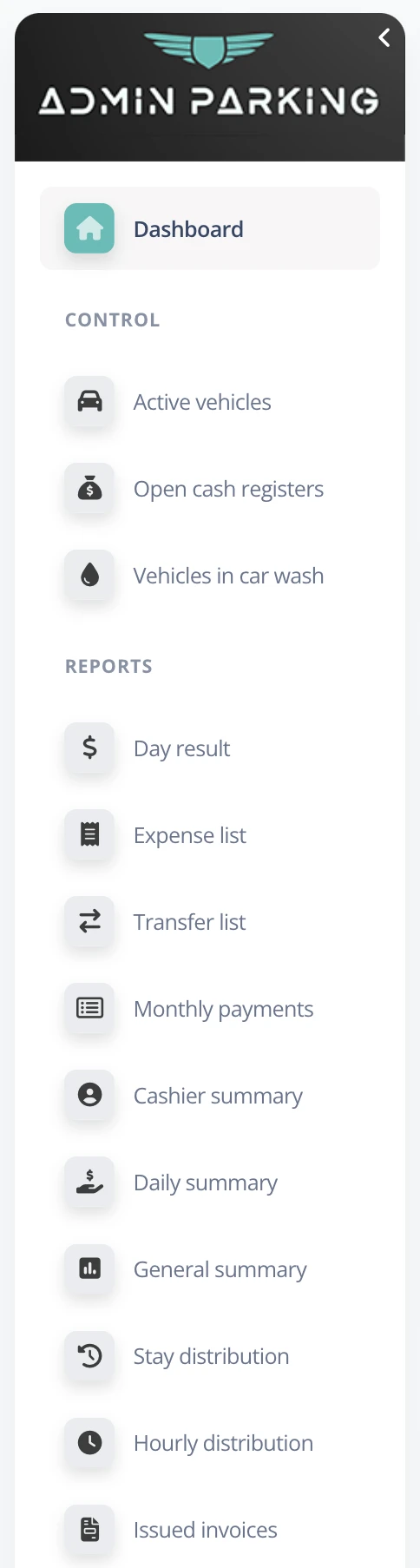
C. Side menu - Garage administrator user
The side menu lets the administrator manage every operational aspect of the parking business. The first two items, Active vehicles and Open cash registers, are the most important for monitoring the current situation.
- Active vehicles: Checks how many vehicles are parked and helps prevent errors or fraud.
- Open cash registers: Provides information about available cash to make audits easier.
C.1 Active vehicles
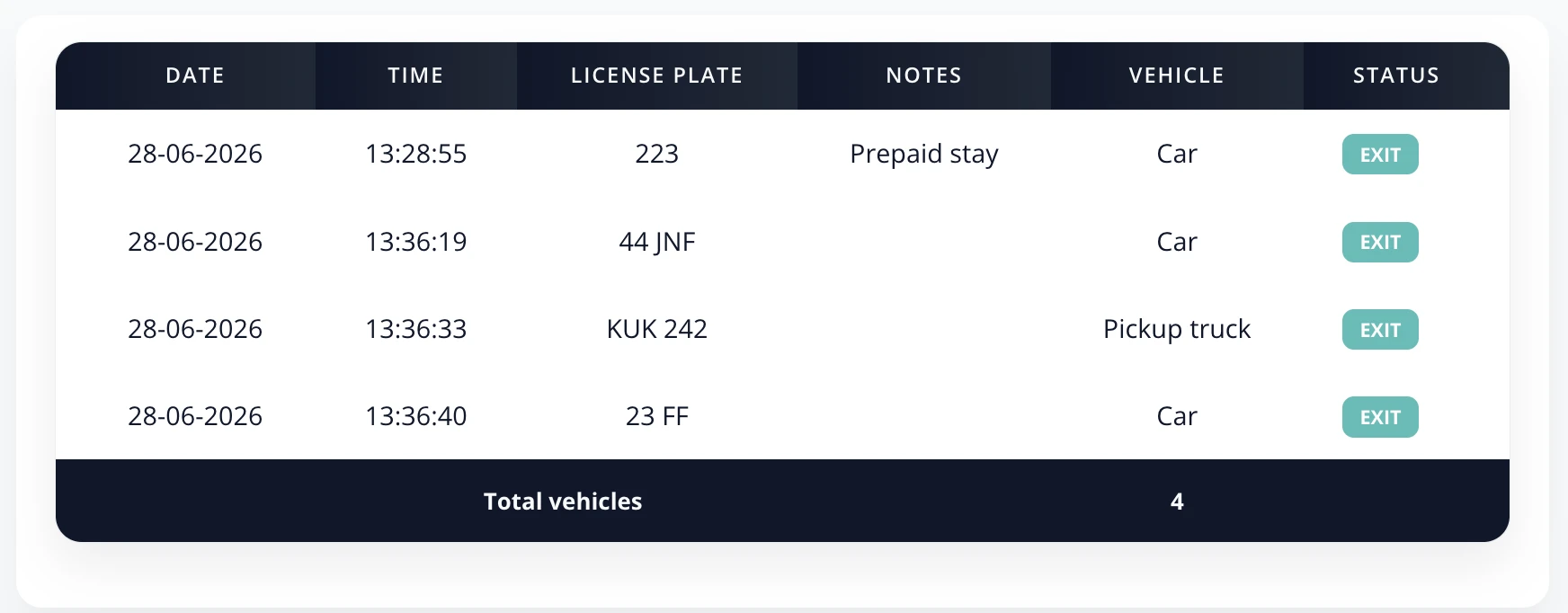
This section shows the list of parked vehicles, including entry date and time, license plate, vehicle type, and any registered notes. If there are several garages, you can select which one to view.
- Notes: If a vehicle paid for a prepaid stay, this will appear in the notes column.
C.2 Open cash registers
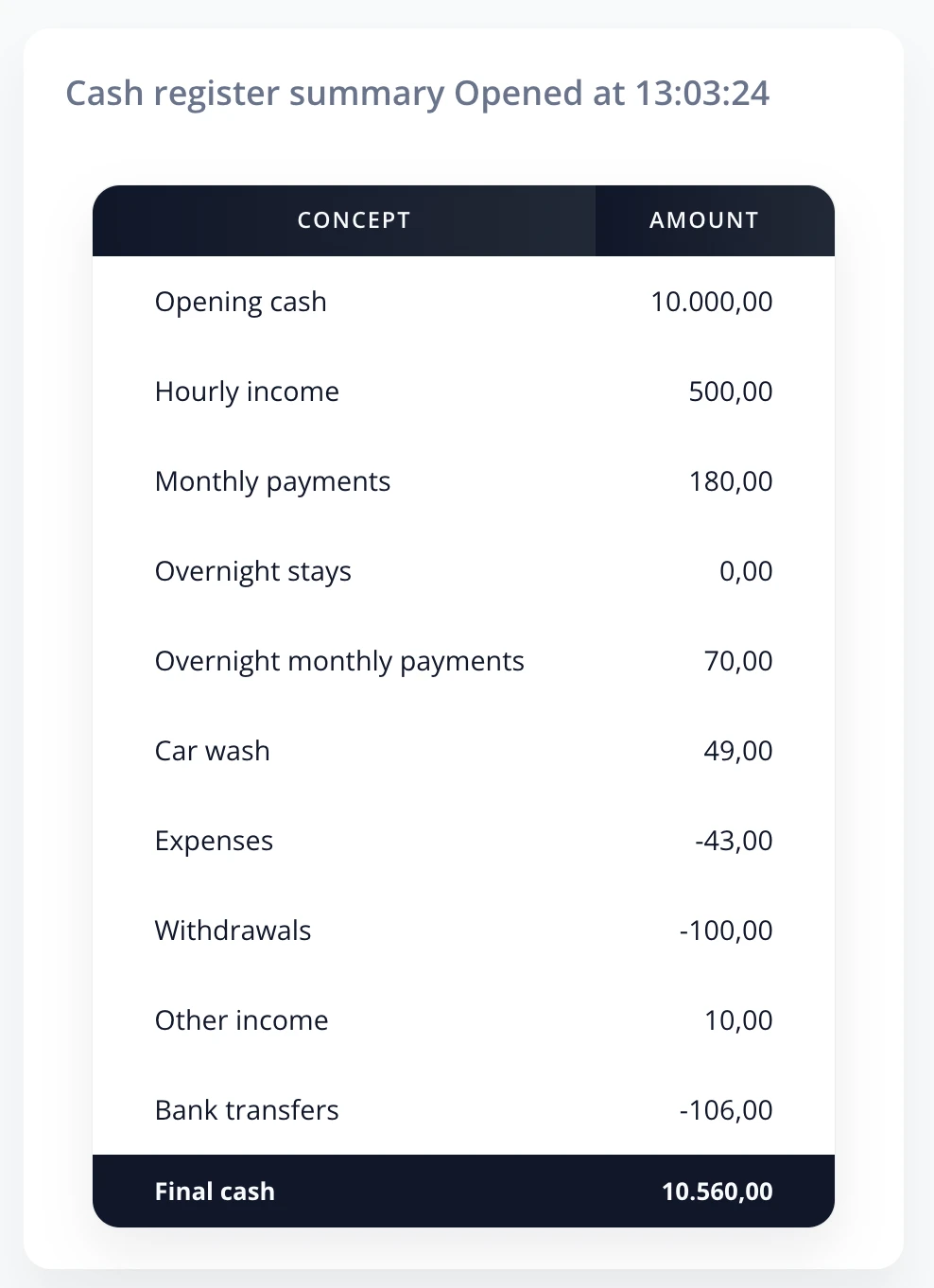
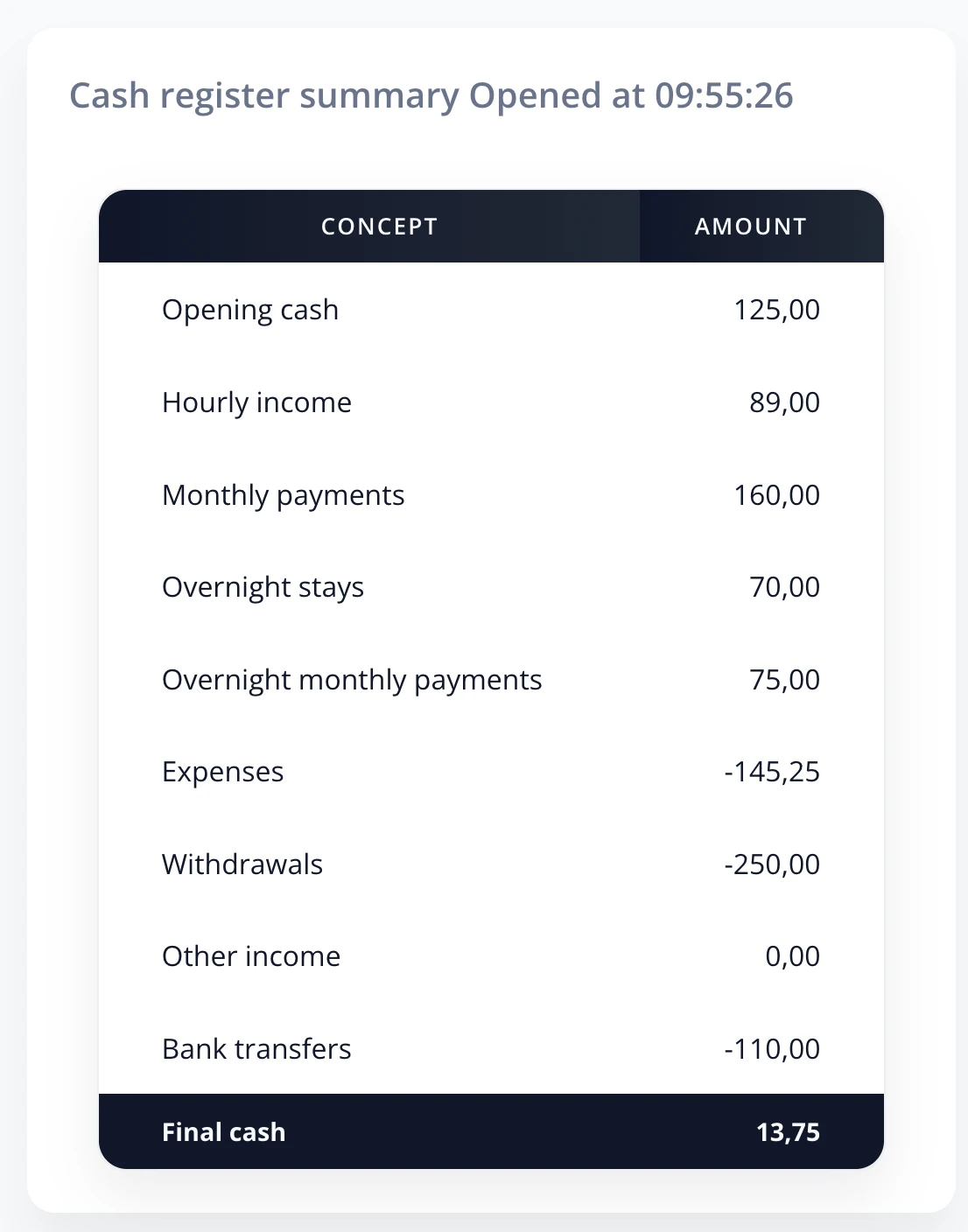
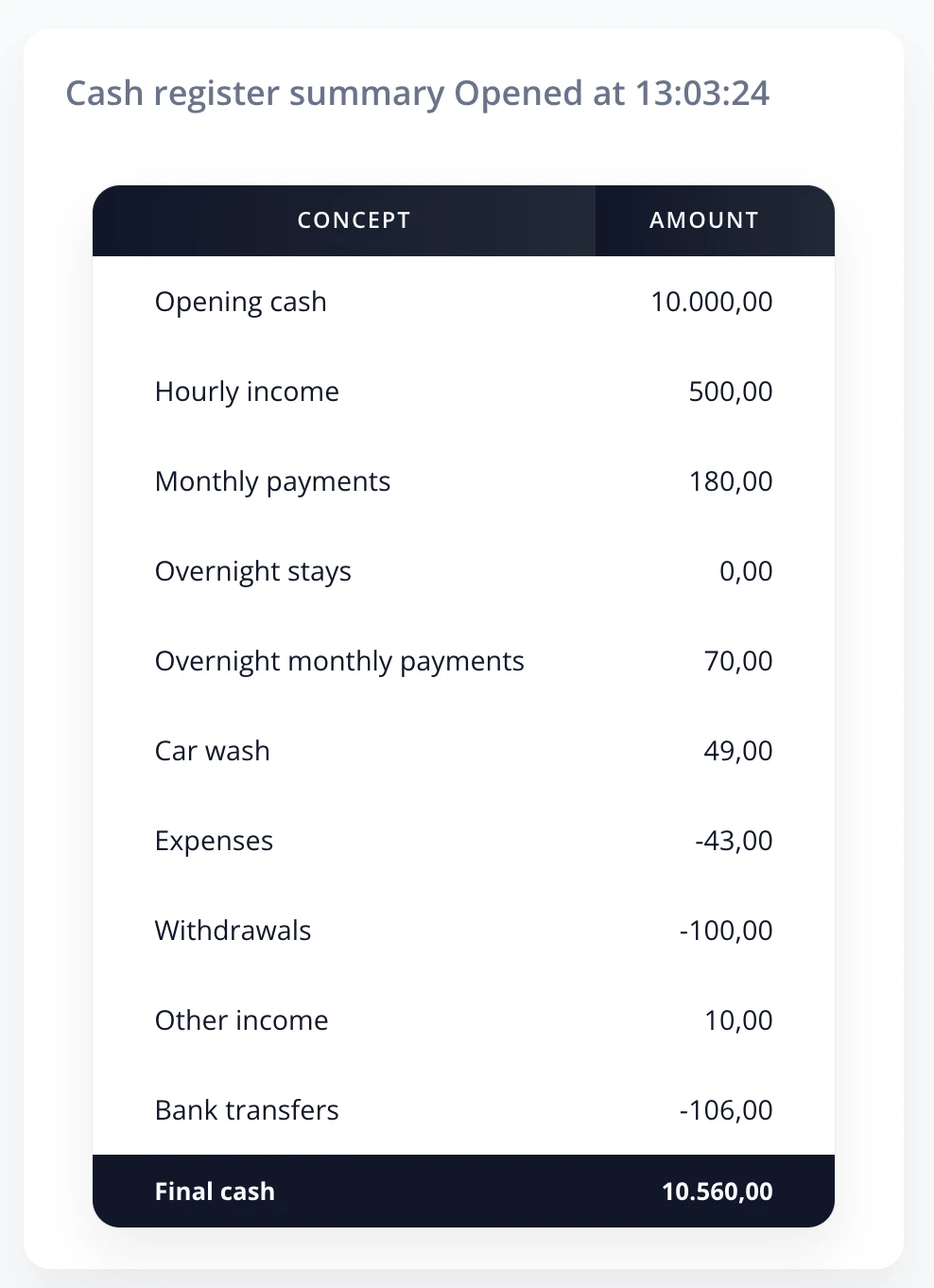
This section shows a summary of movements for the open cash register, useful for each employee shift. It includes:
- Initial cash: Cash at the start of the shift.
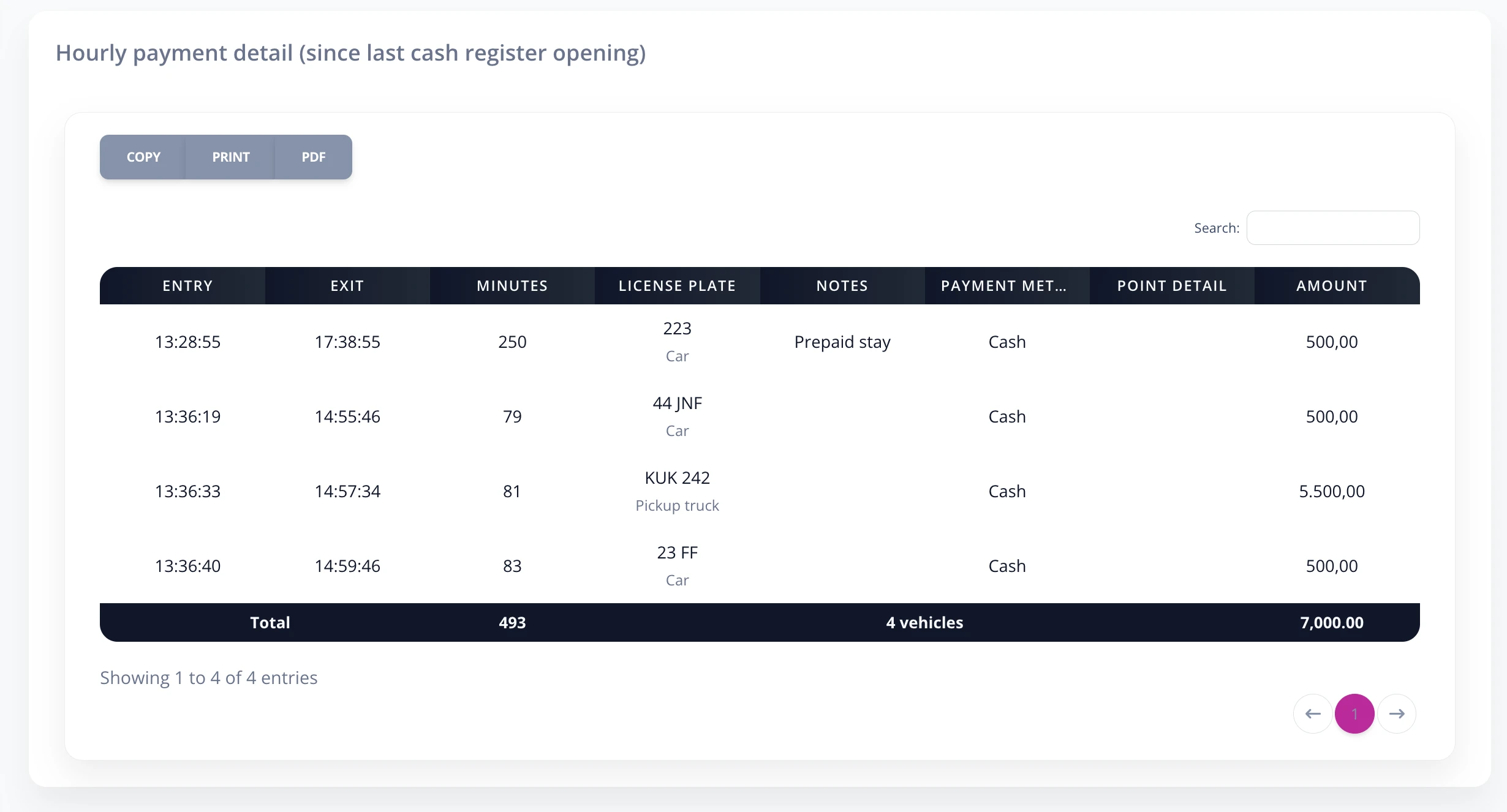
- Hourly income: Total collected so far from vehicles that paid by hour or stay.
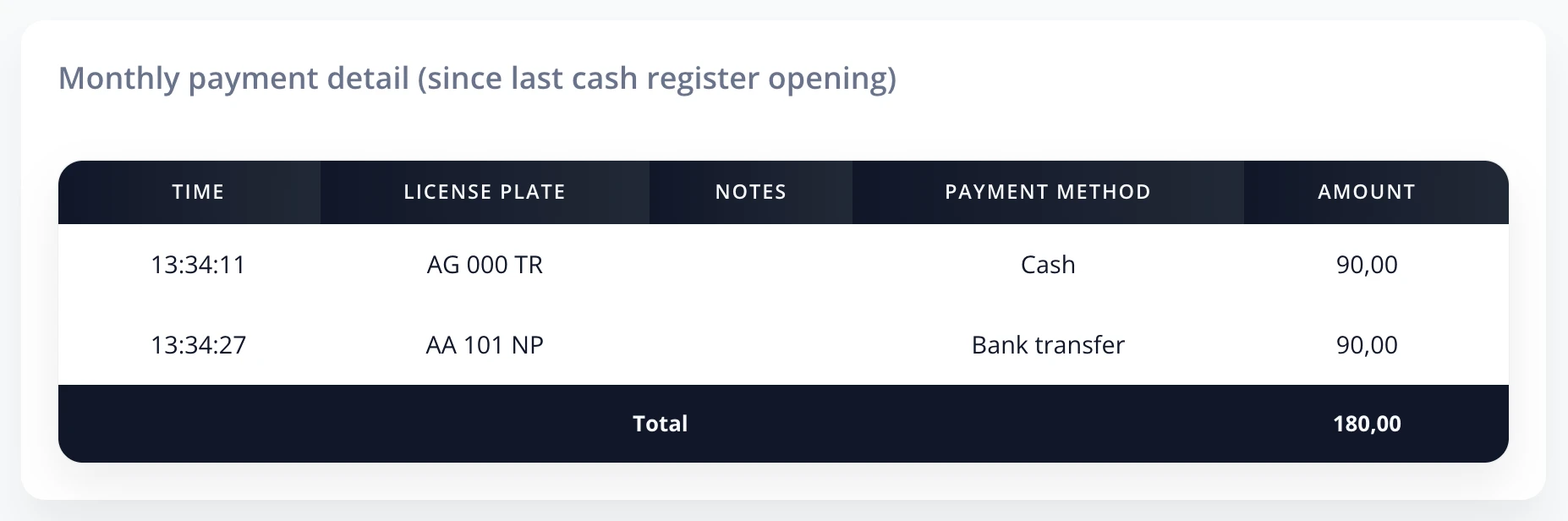
- Monthly payments: Monthly plan payments.
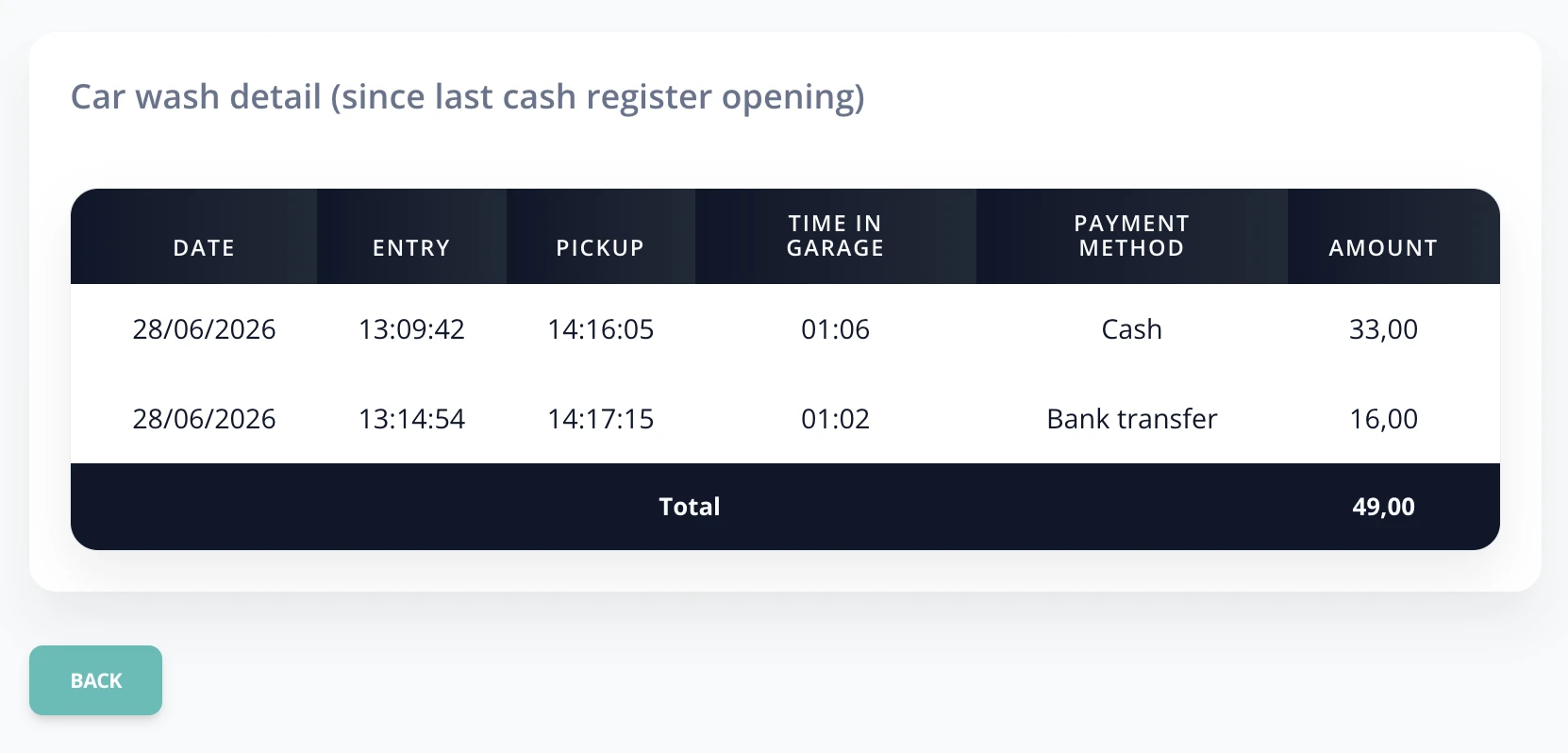
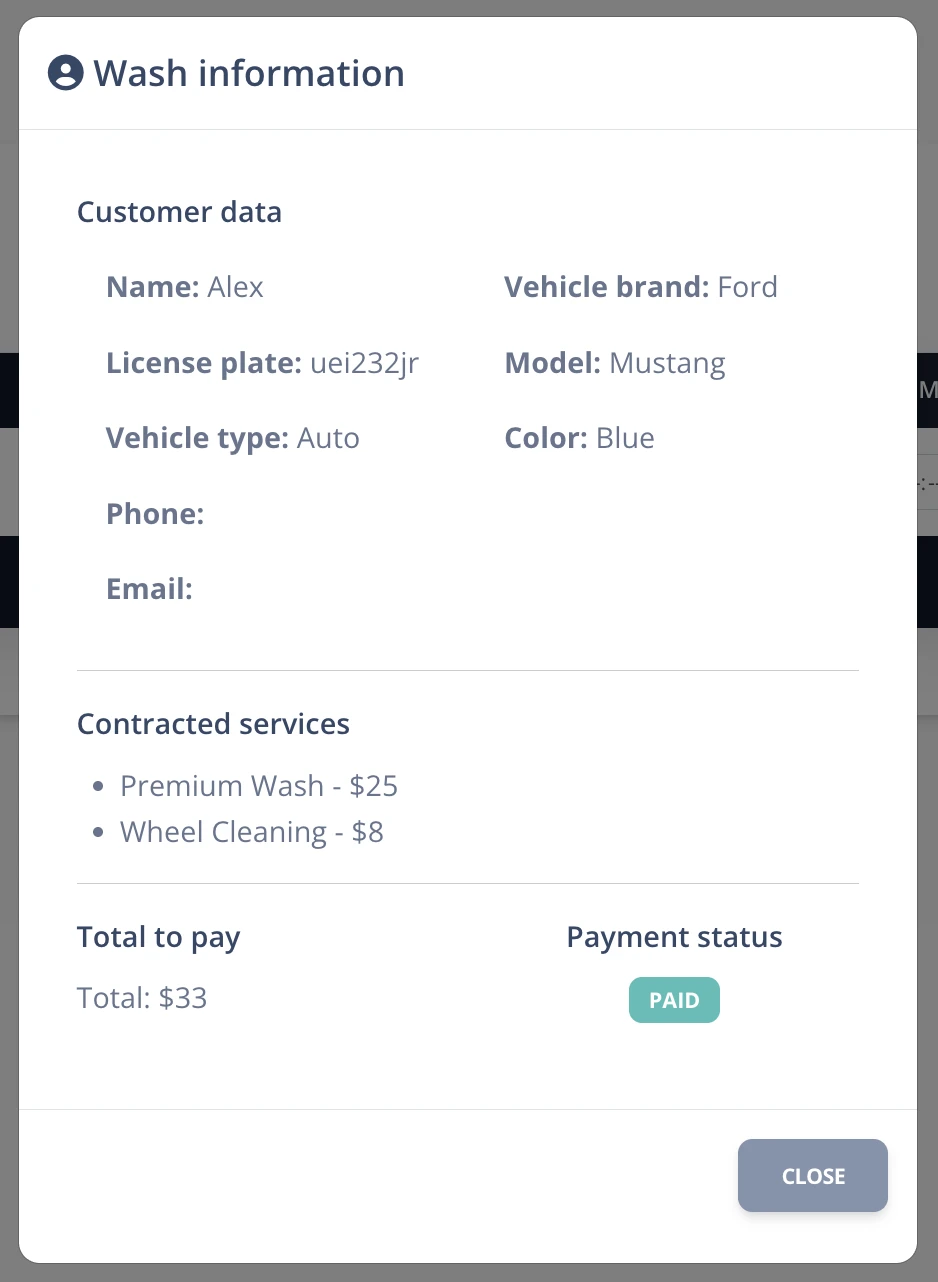
- Car wash: Car wash services provided.
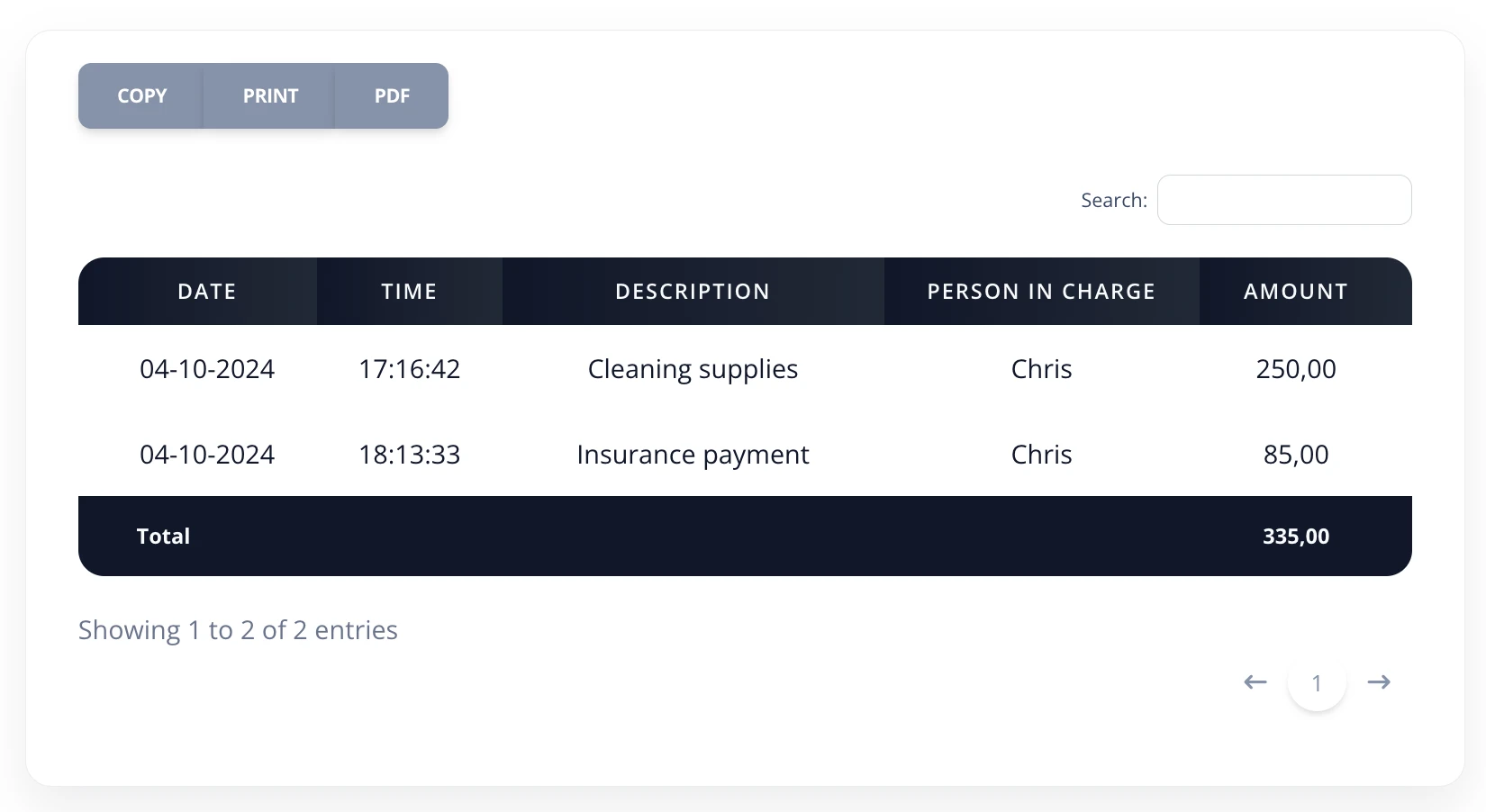
- Expenses: Sum of expenses recorded.
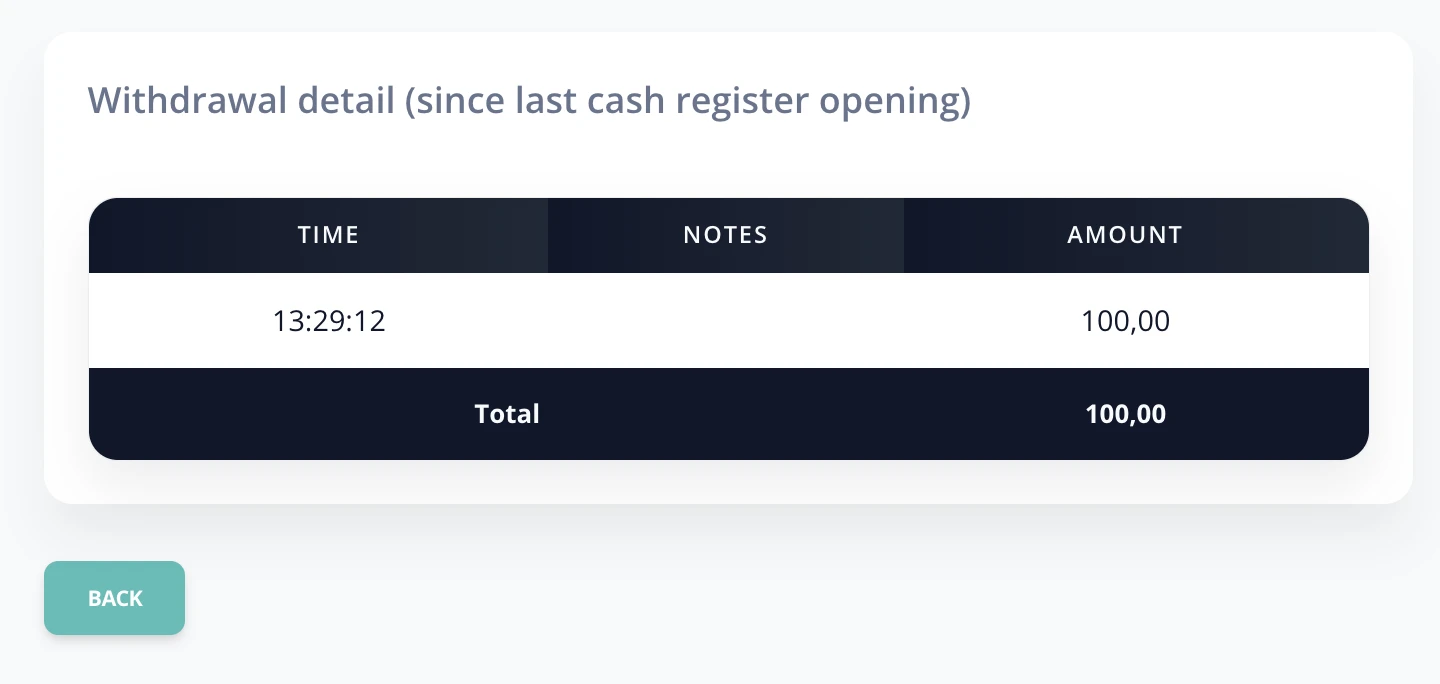
- Withdrawals: Amounts withdrawn from the garage.
- Transfers: Payments received by bank transfer.
- Mercado Pago: Payments through Mercado Pago.
- Final cash: Money available at the end of the shift.
You can view the details of each movement by clicking the corresponding row.
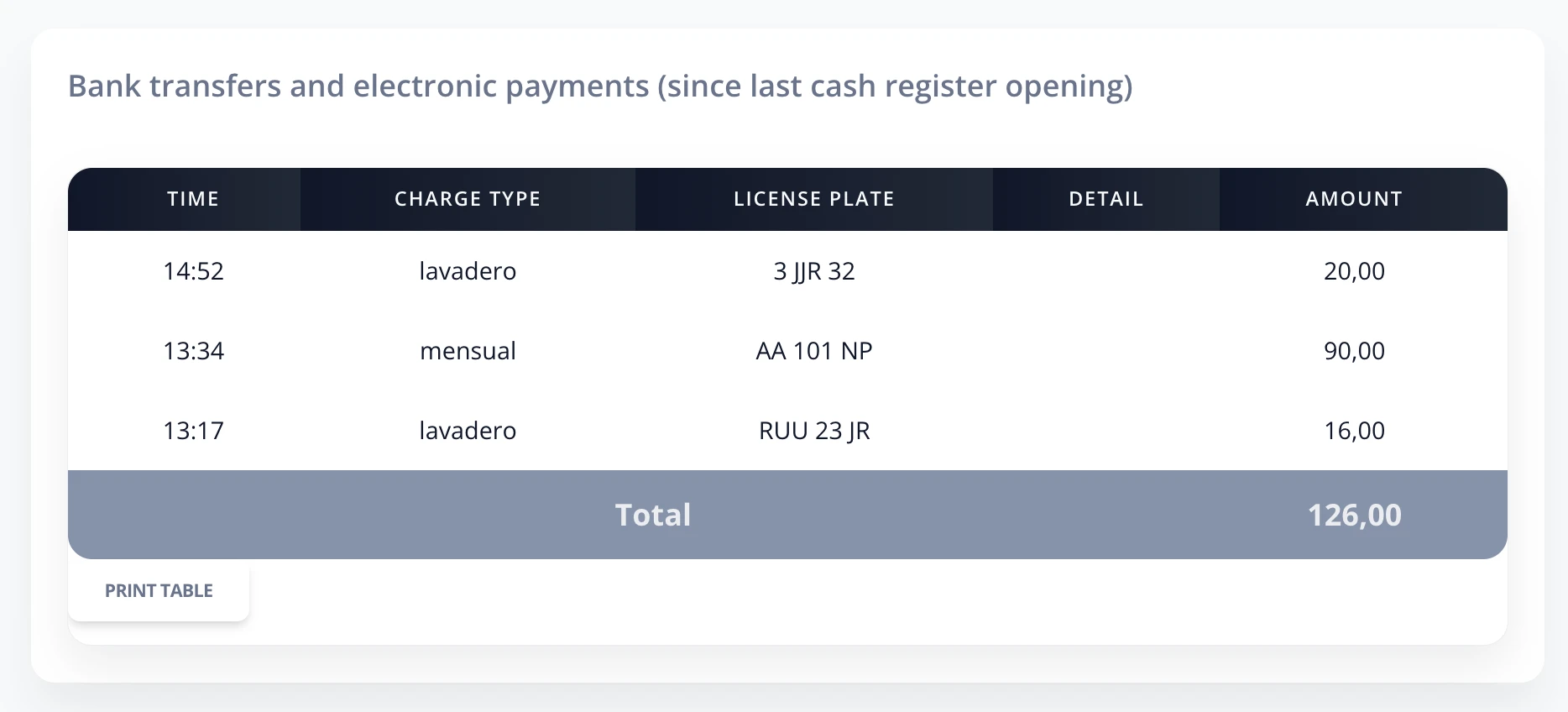
C.3 Day result
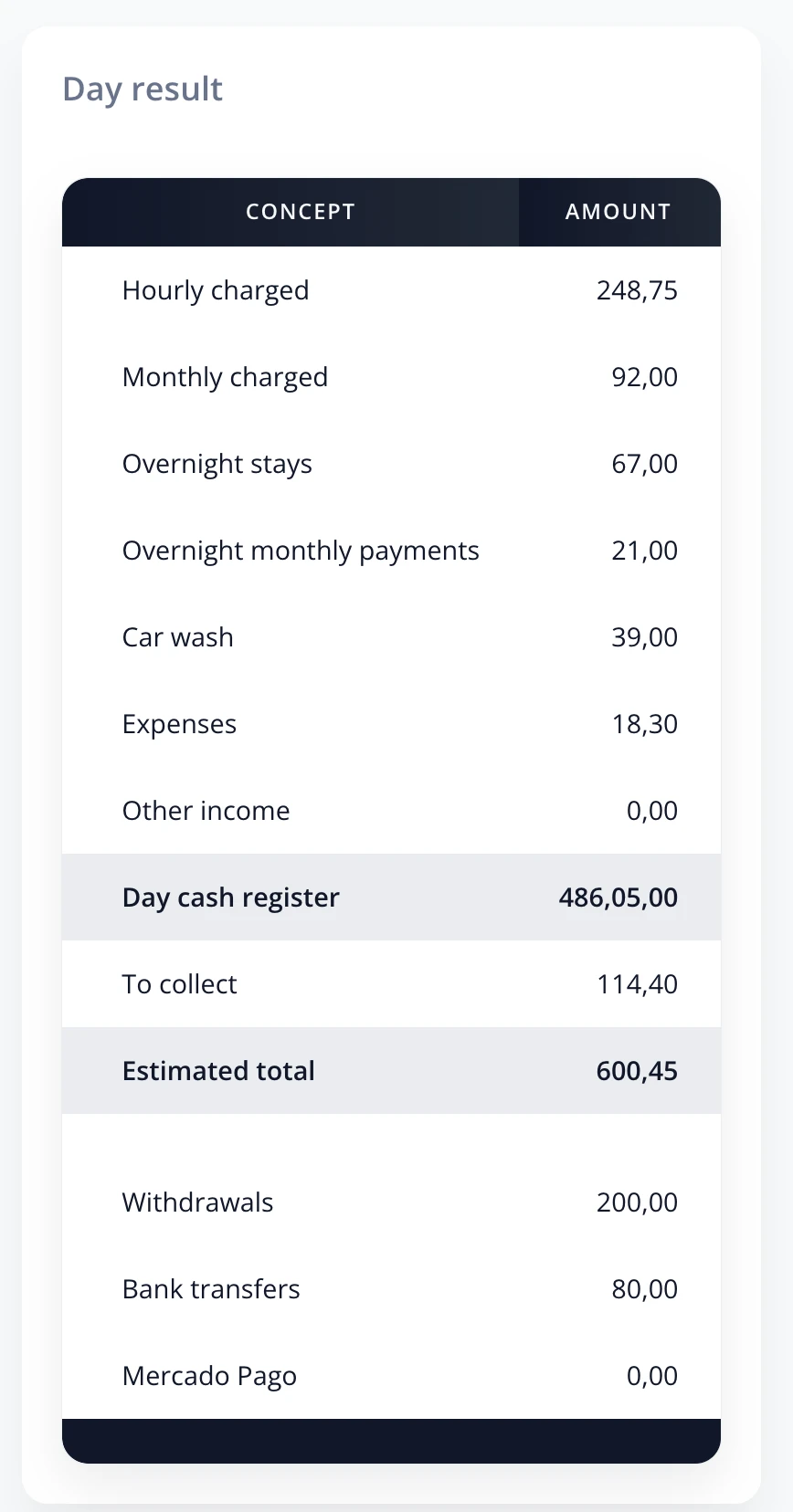
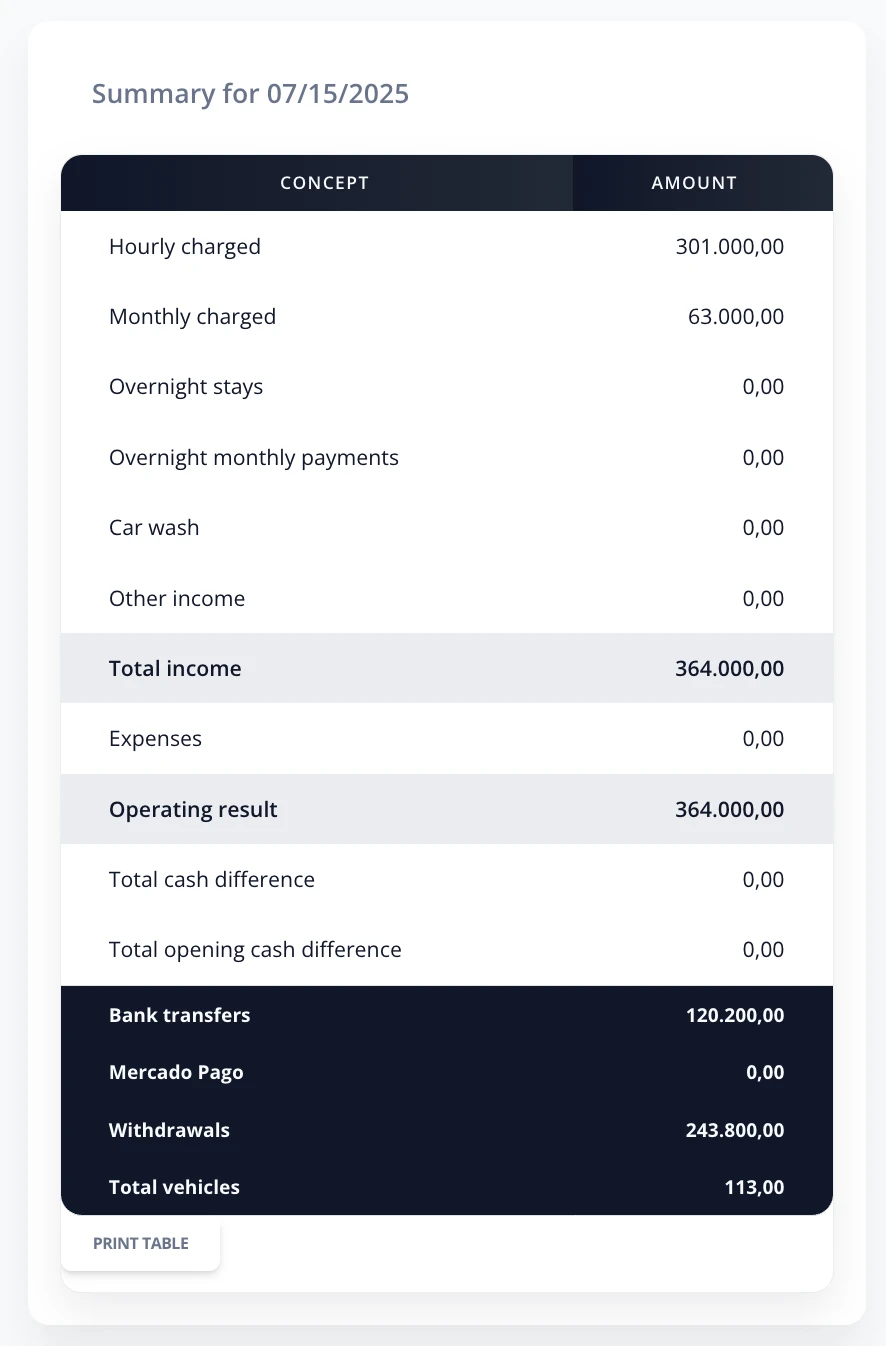
This section shows a summary of all movements for the day, regardless of how many cash registers were opened.
You can view the details of each movement by clicking the corresponding row.
- Pending collection: amount pending collection for vehicles still in the garage and car wash services.
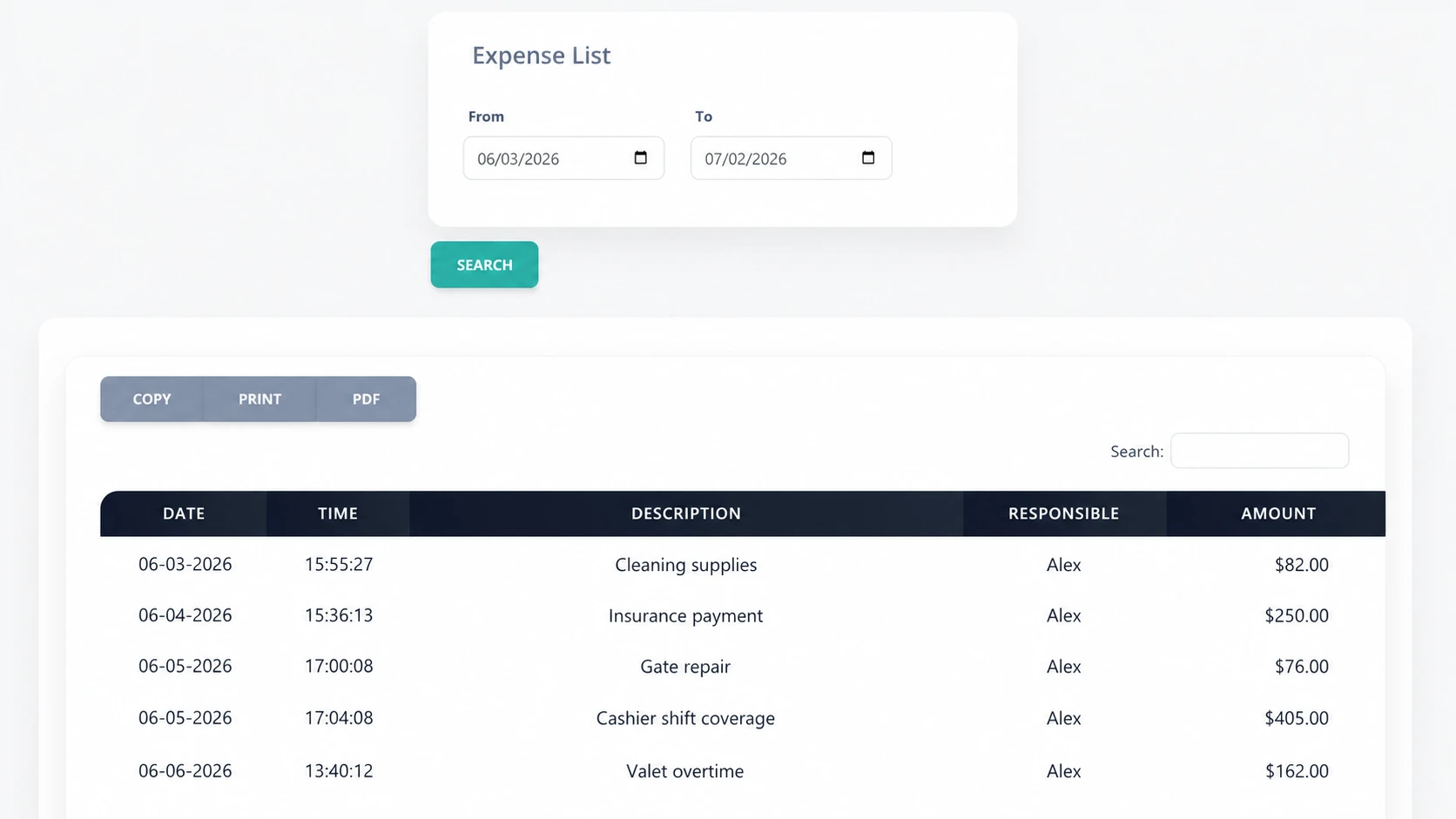
C.4 Expense list
Allows searching and viewing expenses recorded by garage in a specific period.
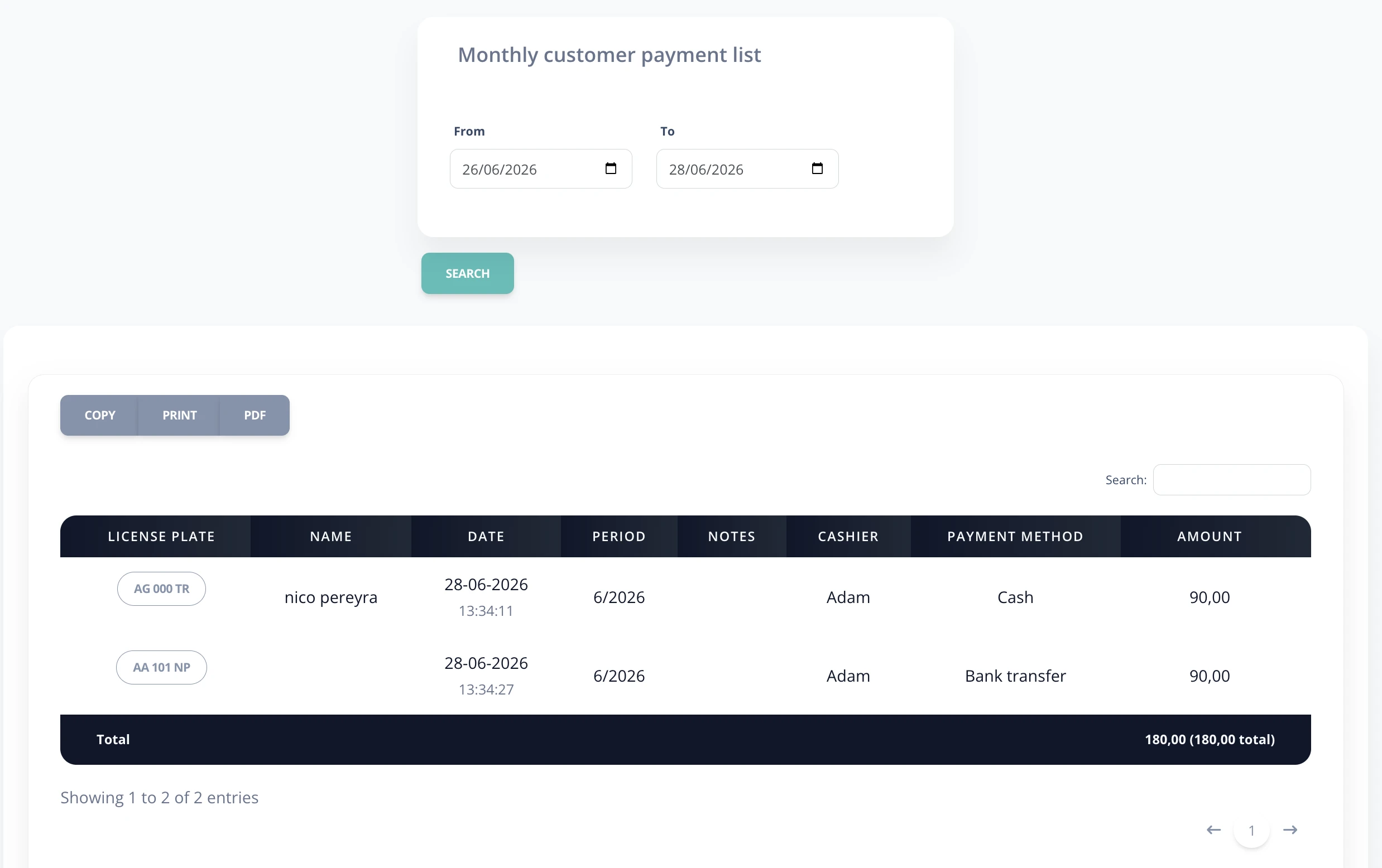
C.5 Monthly payments
Shows payment details for customers with monthly plans within a selected period.
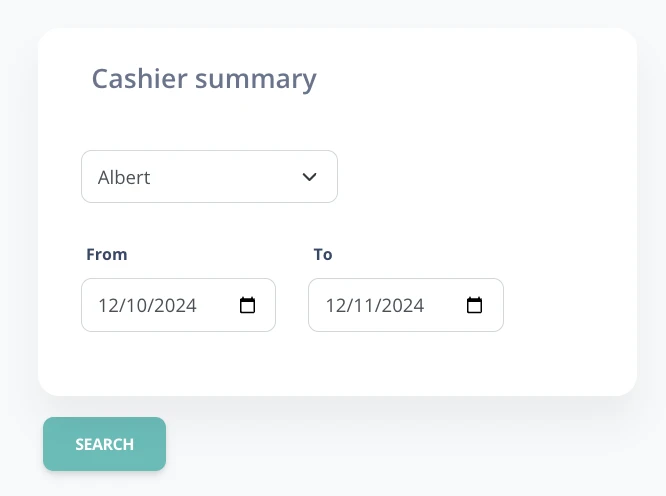
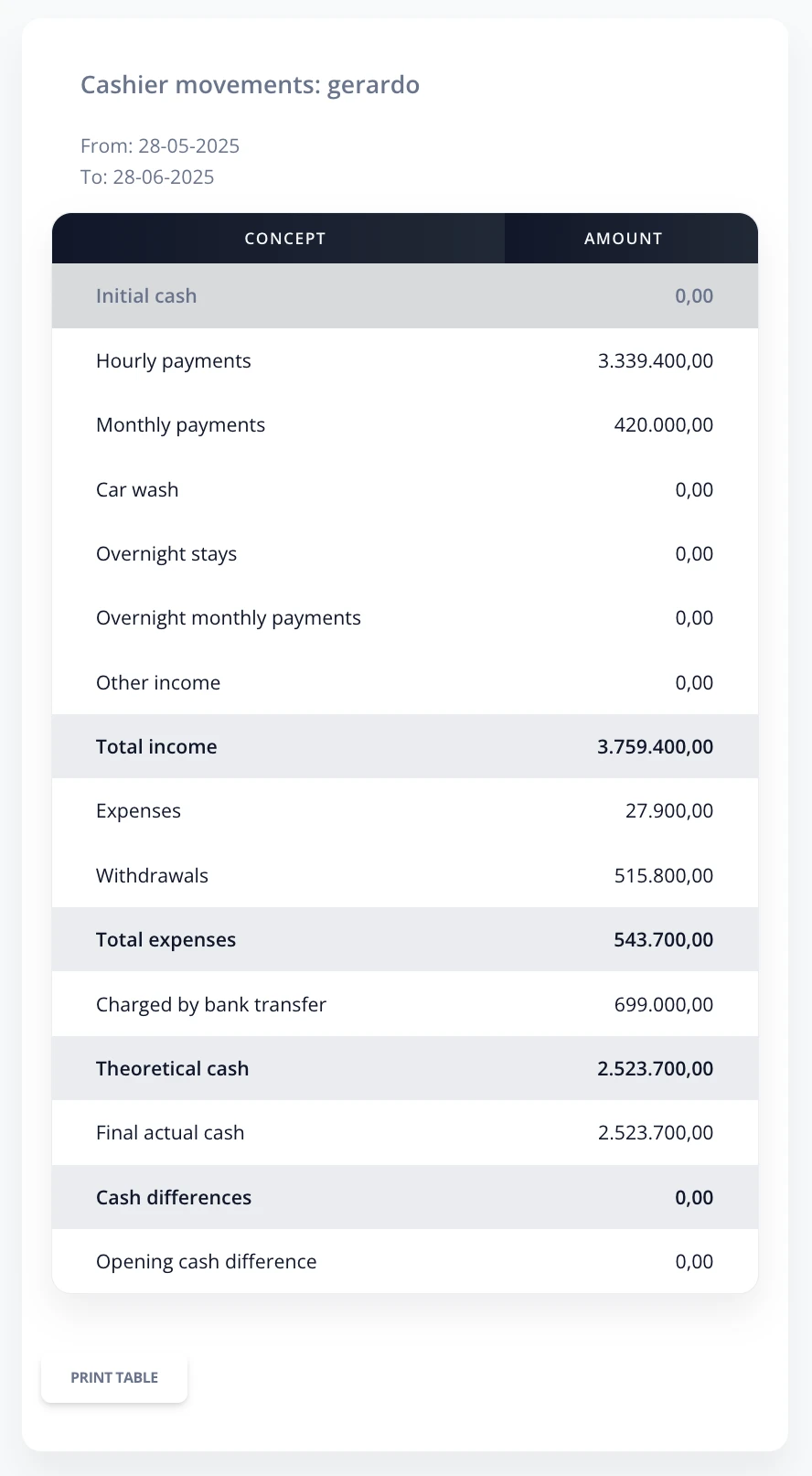
C.6 Cashier summary
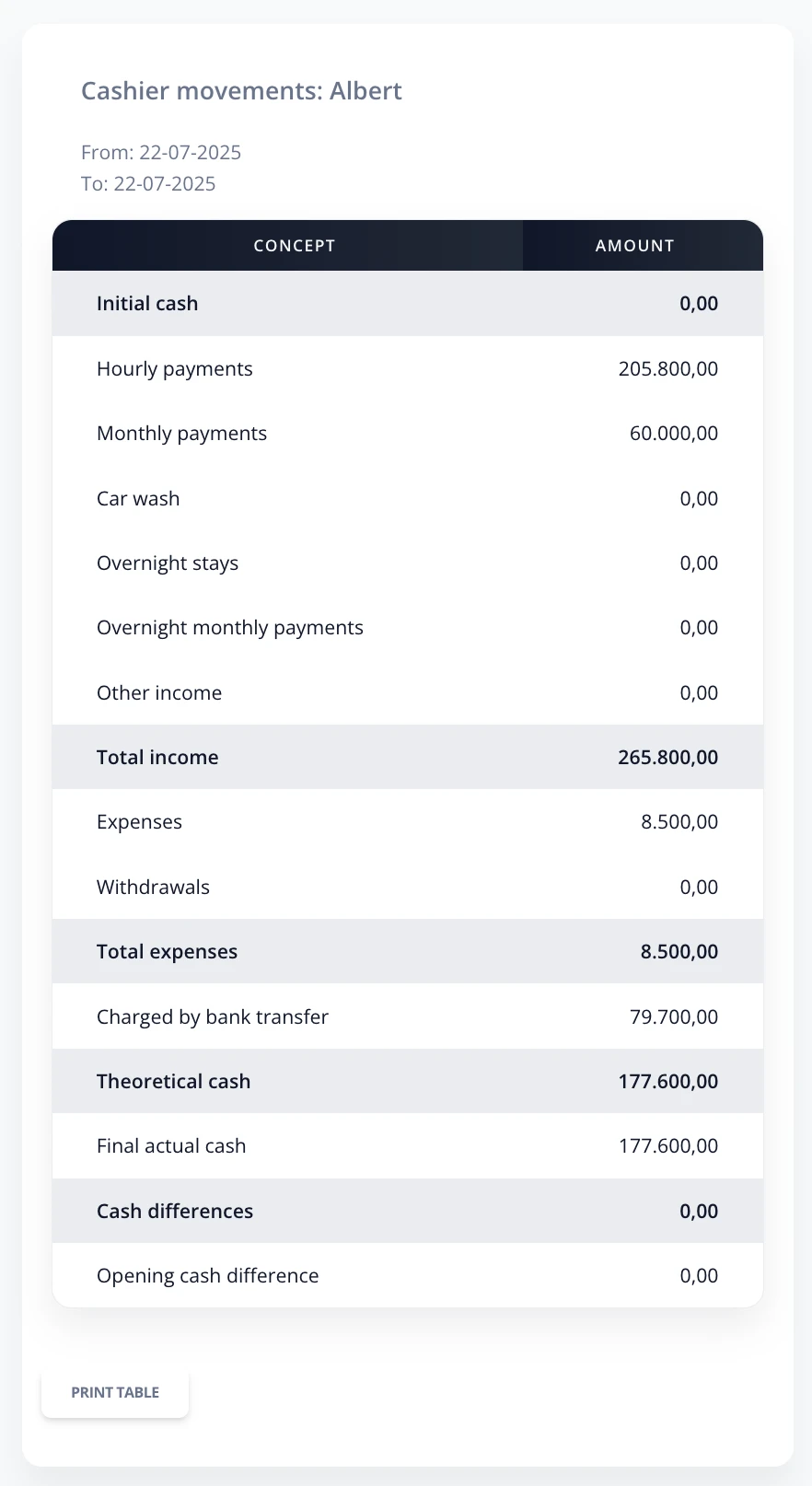
In the Cashier summaryreport, you can get the cash register summary for a specific user during a selected period. The format is similar to the Day resultreport, where each movement is detailed. Clicking a row expands more information.
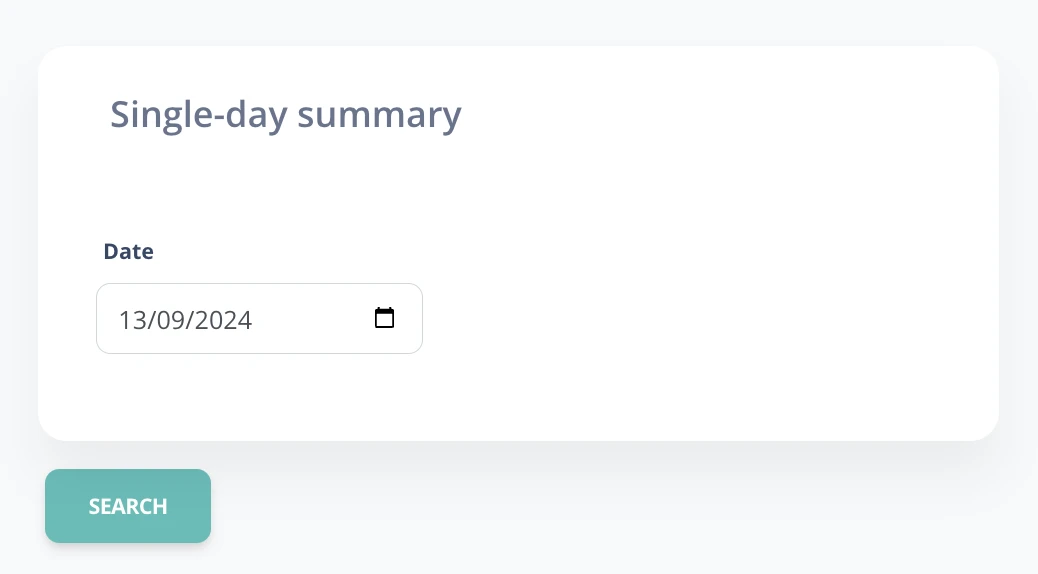
C.7 Daily summary
The Daily summary shows a table with all financial movements for the day and their cash register closings.
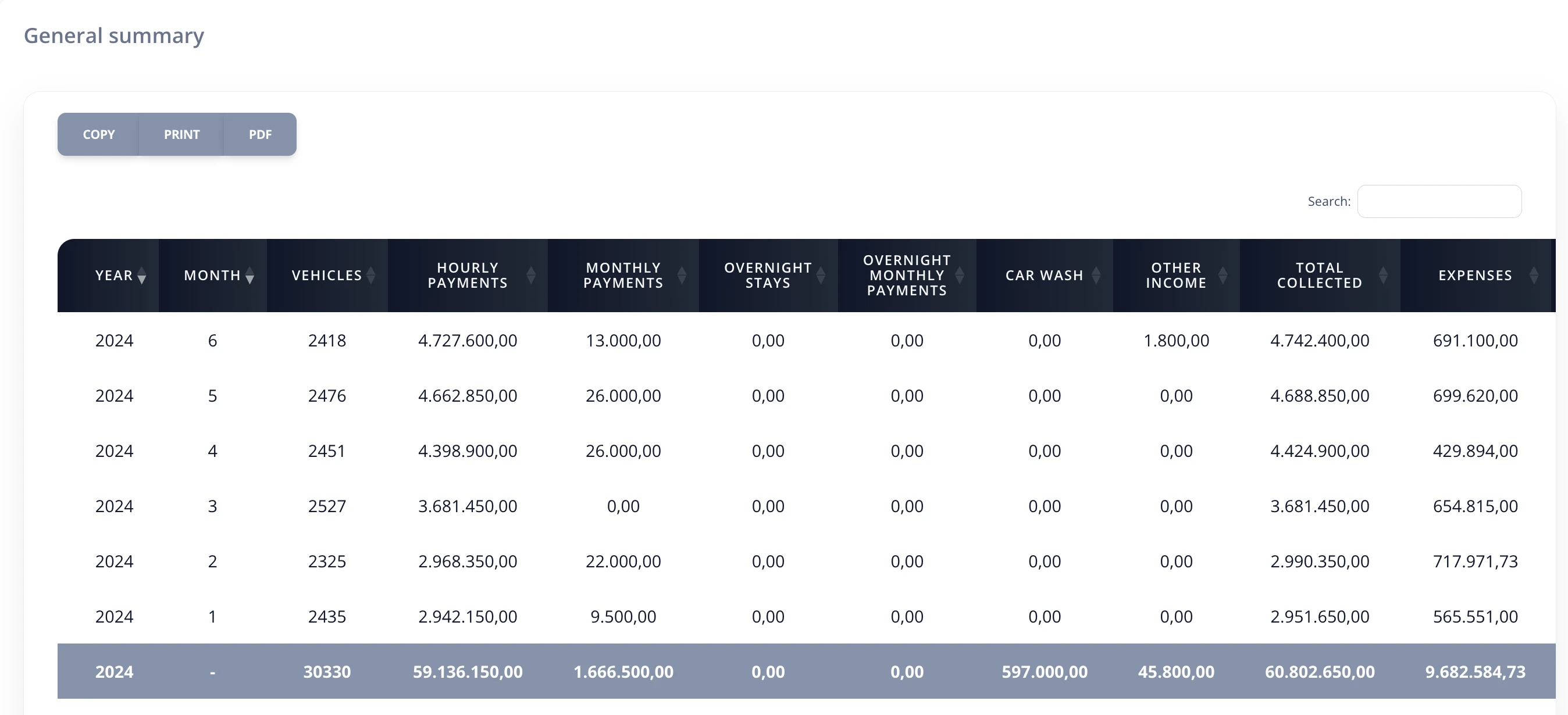
C.8 General summary
The General summary shows the income statement by month and year, with a summarized view of the most important parking variables.
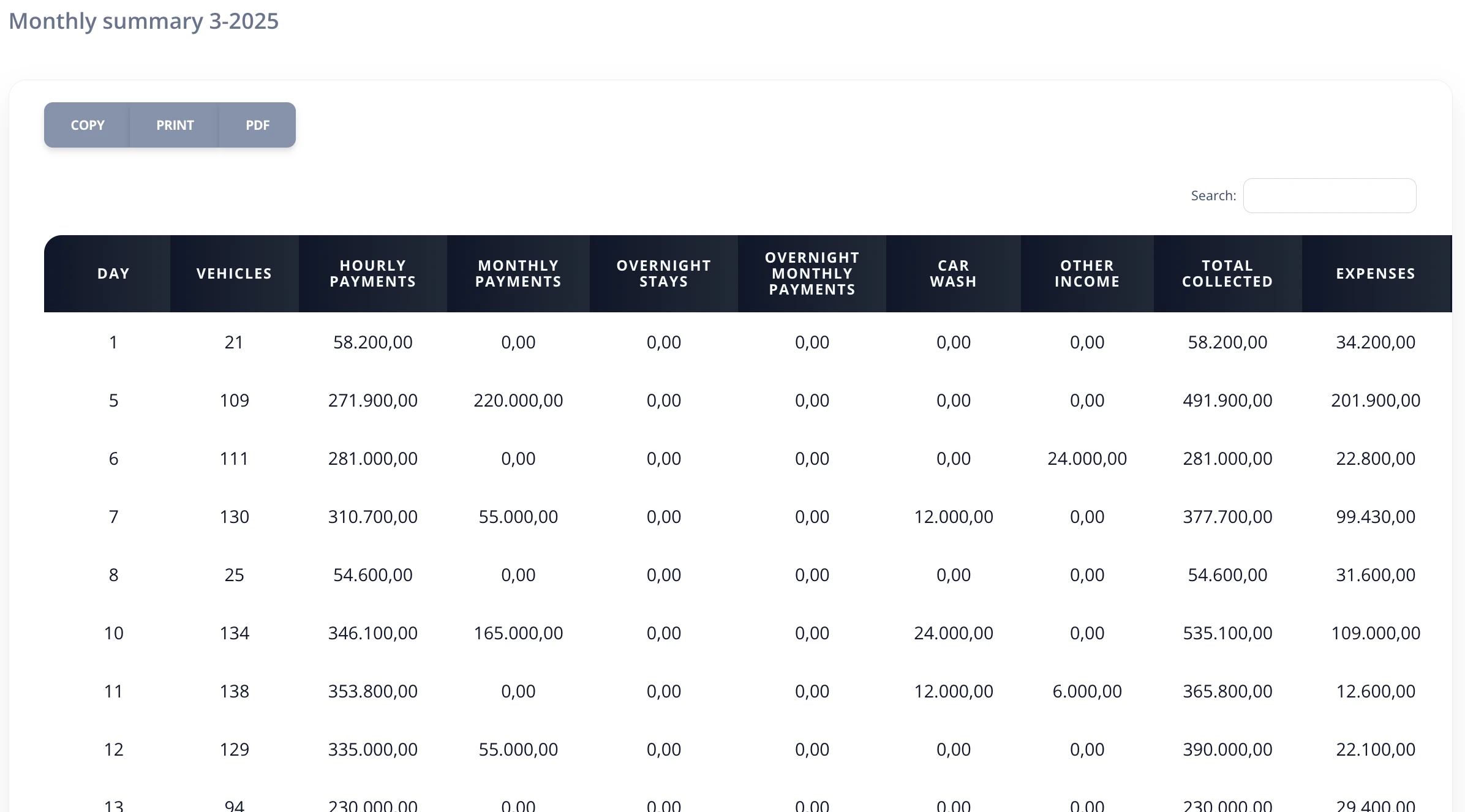
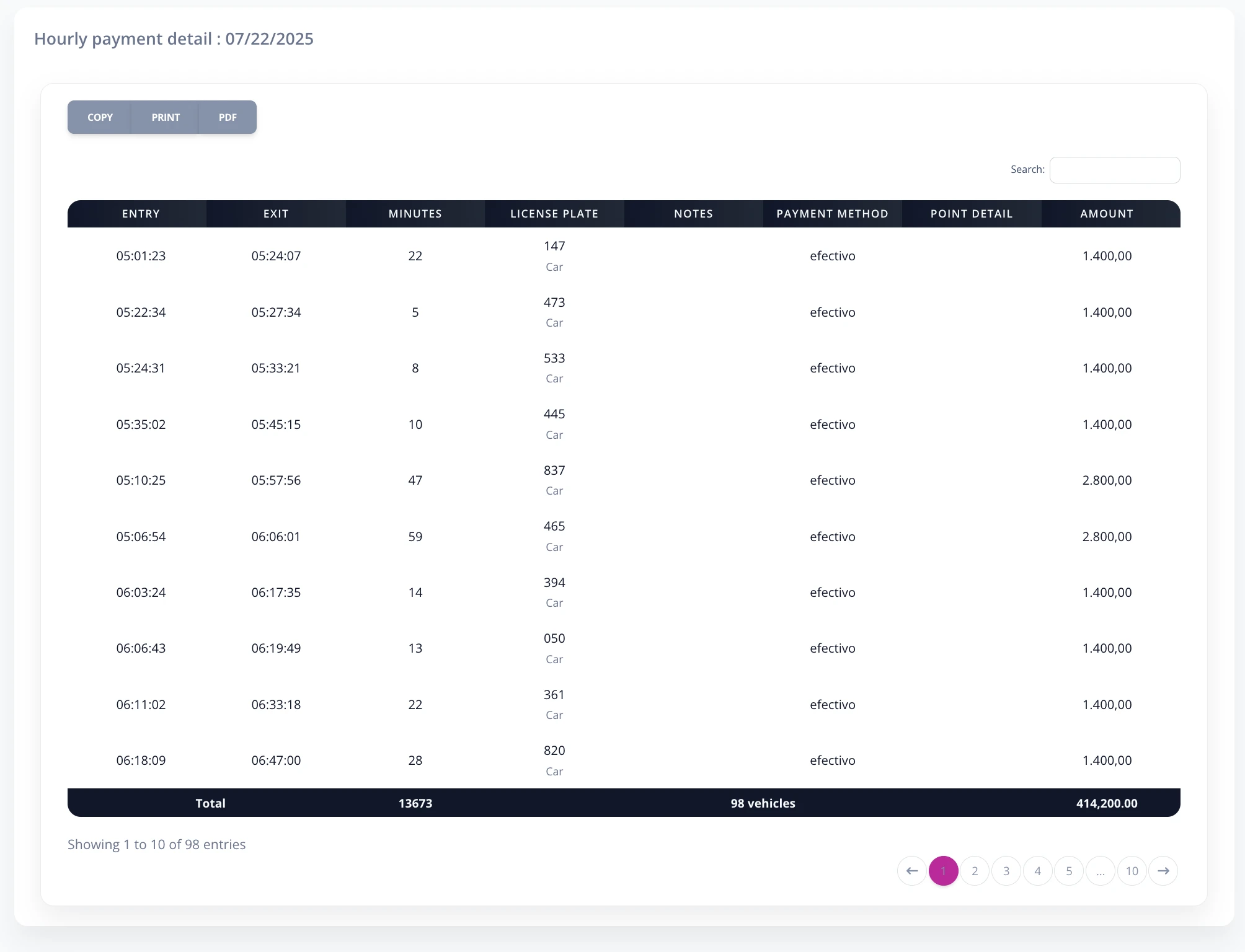
- By clicking any row, you can view monthly, daily, or specific-day details for any movement type.