
Users
Recover space or cancel reservation
Recovery lets a user take back a released fixed space when company rules allow it.
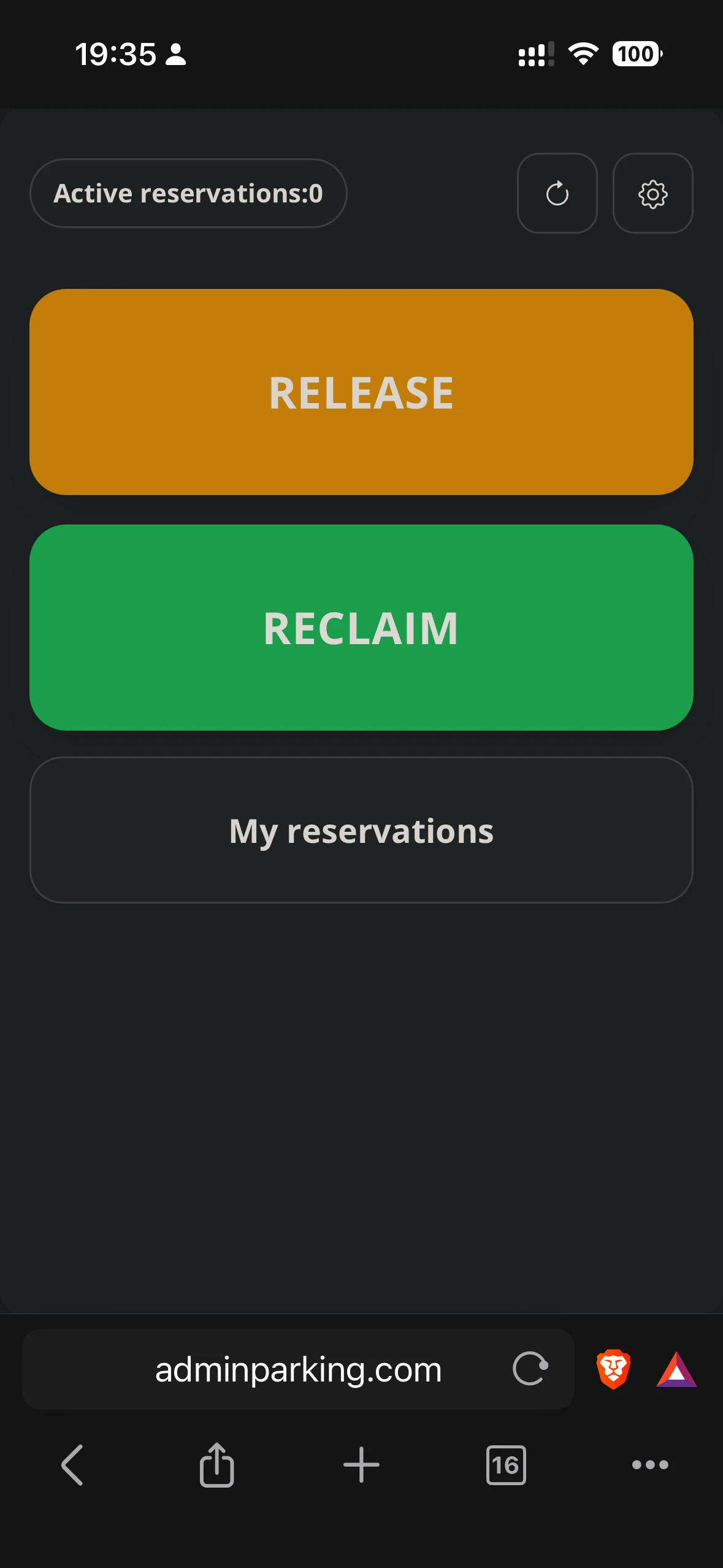
Recover fixed space
- Open the app and check whether the Recover button appears.
- Tap Recover to view the released space.
- Confirm the recovery.
- If the space was already taken by another person, the app will only allow recovery if rules enable it.
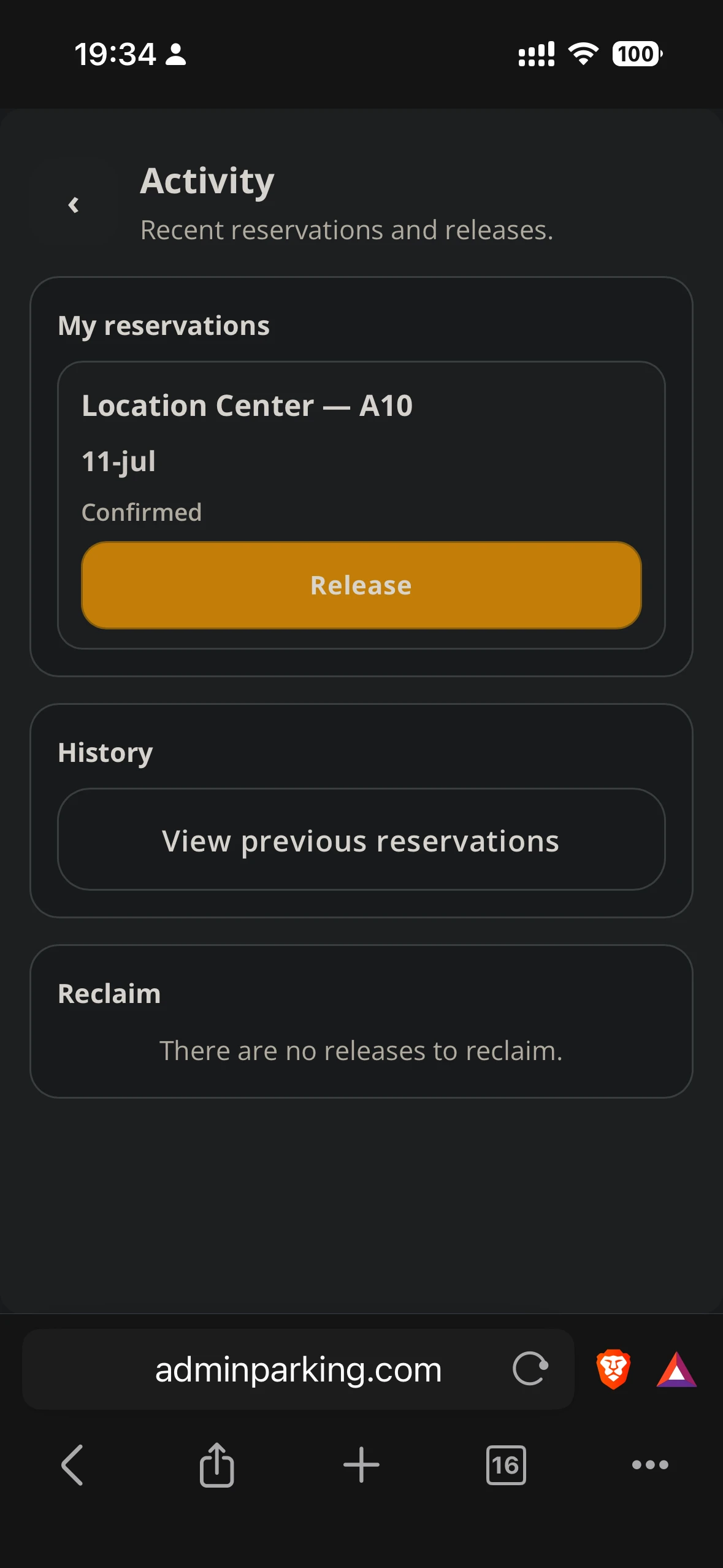
Cancel your own reservation
- From home, tap My reservations.
- Find the active or future reservation.
- Press Cancel reservation or Release, depending on the text visible in the app.
- Confirm the action. The space becomes available again according to rules.