Administrator
Locations
Locations separate operations by building, lot, or parking facility. Each location has its own capacity and spaces.
Create or edit a location
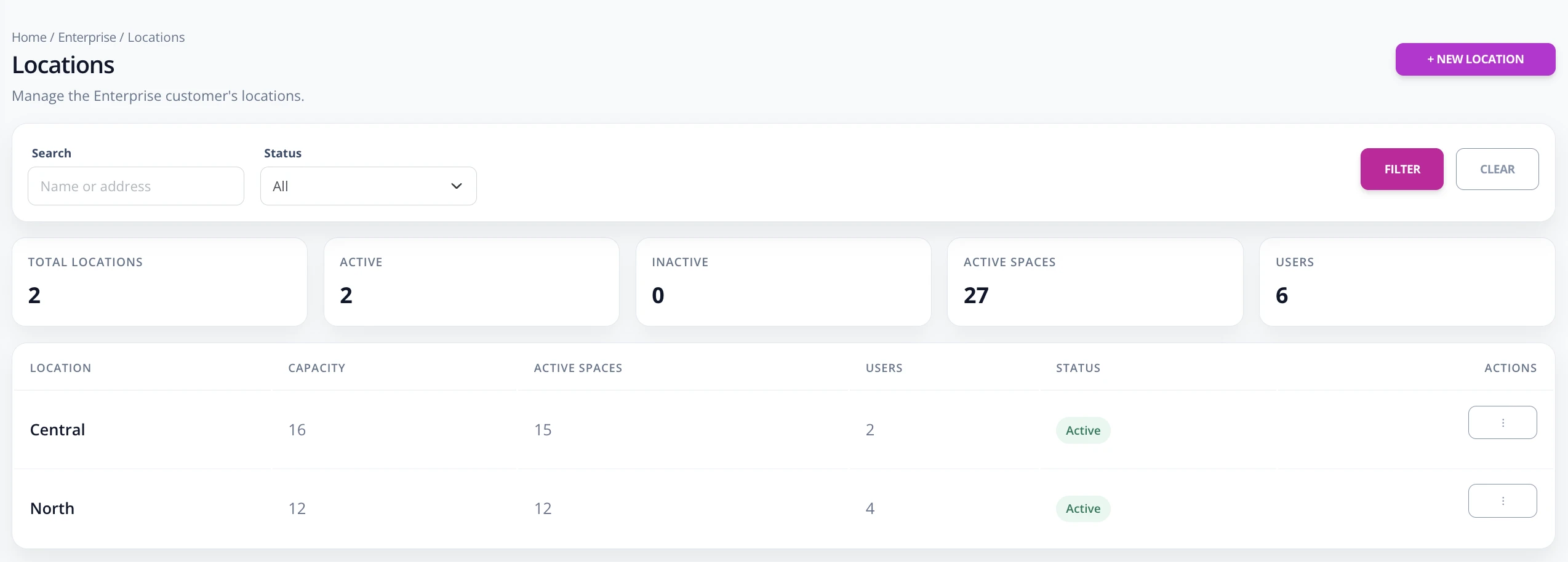
- Go to Enterprise -> Locations.
- Use the name, address, or status filters if the list is already long.
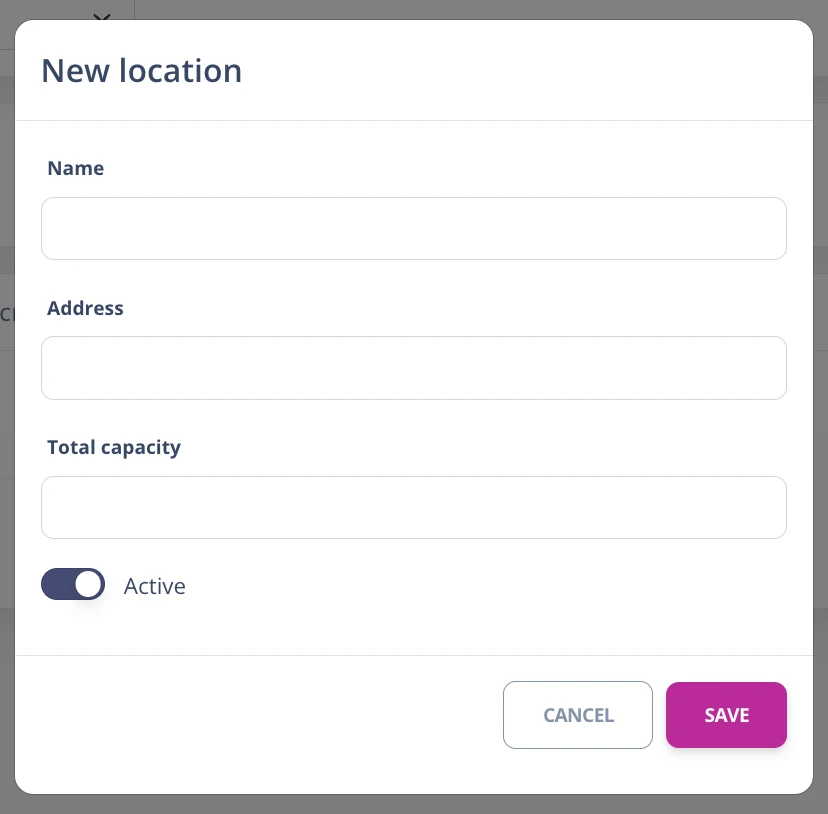
- Press New location to create a location.
- Complete name, address, total capacity, and active status.
- Save and review the created spaces. Confirm the location’s IANA time zone in Locations → IANA time zone before booking or releasing, then review classification in Spaces.
- To edit or delete, open the actions for the corresponding row.